
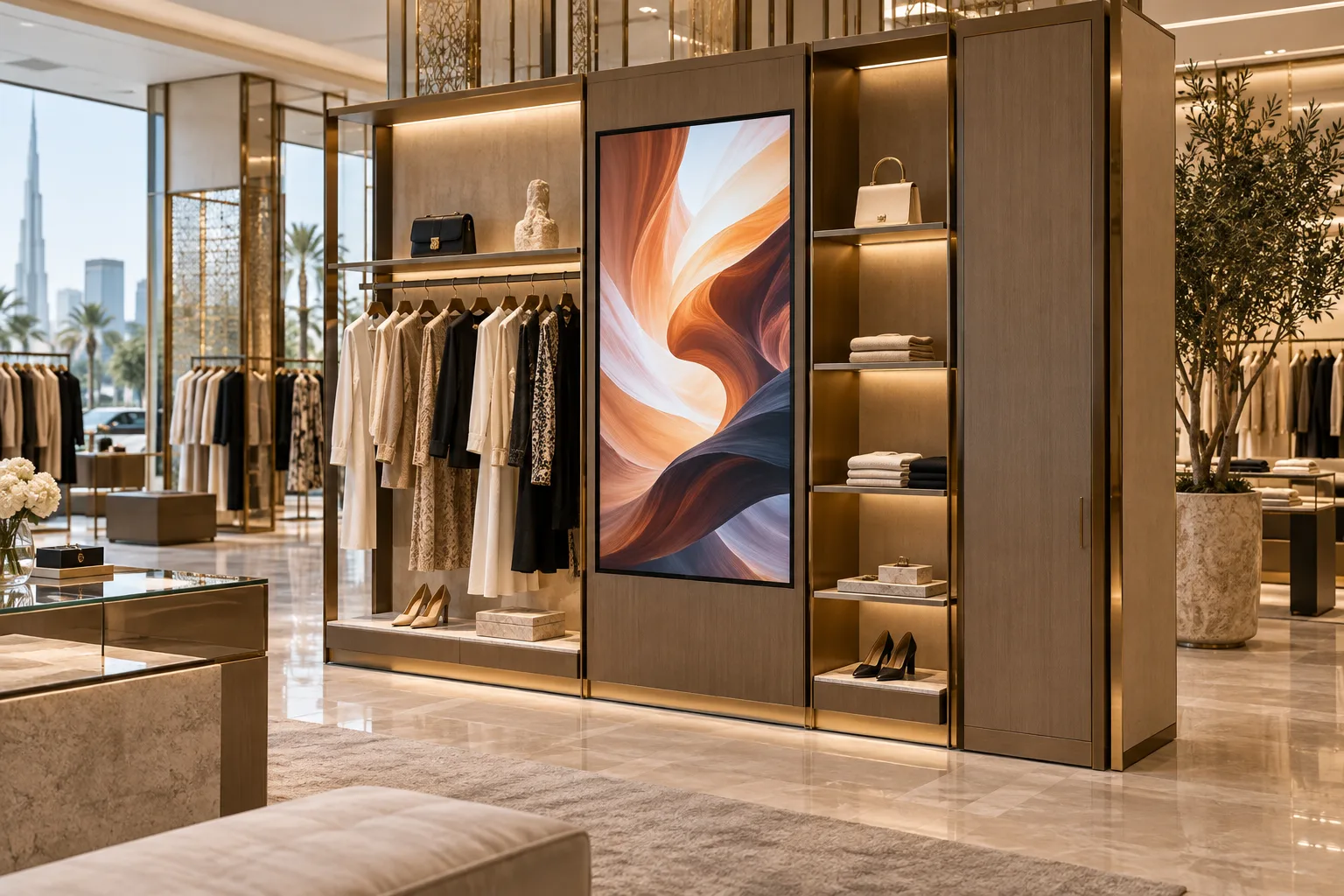
AI-generated illustrative design concept; not a completed CBD Projects project, approved drawing or technical compliance detail.
A digital screen can become an expensive blank panel if the retail fit-out team designs its enclosure before the operator selects the hardware and content platform. Screen orientation, cable access, heat management and replacement space all affect the joinery. The right starting point is what customers need to see and who will keep that information current.
Define the screen purpose, viewing position, operating hours and content owner first. Select the actual display and mounting system, then coordinate power, connectivity, manufacturer clearances and a practical removal route. Approve a working installation sample before repeating it across stores.
Decide what the display must accomplish
Separate shop-window advertising, product education, menu or price information, and queue guidance. These jobs have different viewing distances and update cycles. A decorative brand video is not a substitute for legible product information when customers need to make a purchase decision.
Write a simple operating brief: audience, message type, portrait or landscape format, expected daily running period and update frequency. Assign responsibility for content approval. If nobody owns weekly updates, include an appropriate evergreen fallback rather than relying on a launch promotion indefinitely.
Test the real viewing conditions
Review the screen from the approach route, customer standing positions and nearby queues. Check reflections from glazing and lighting at relevant times. Confirm readability using sample content on the intended hardware, not only a rendering with a bright rectangle pasted into it.
The AV supplier should select equipment suited to the operating environment and duty. Do not specify a universal brightness value from another shop. Review the screen with the retail lighting design so neither system undermines the other. Where visible from a mall or public frontage, confirm landlord and applicable signage requirements before committing to the location.
Coordinate hardware, services and enclosure
Obtain the exact display dimensions, mounting interface, equipment weight and manufacturer requirements. Show the mount, backing, ventilation path and cable positions in the shop drawing. Coordinate power and data with the responsible specialists, including how equipment can be isolated for servicing.
For example, a screen that fits the visible recess may still be impossible to remove if its mount needs upward movement blocked by an overhead panel. Demonstrate the actual release movement. Use the display-wall backing guide to coordinate support, rather than attaching a heavy assembly to decorative finish alone.
Define content and network responsibilities
Identify who supplies the player or built-in software, licences, network connection and account administration. The client's IT team should approve network access and update arrangements. Avoid shared default passwords and undocumented remote support arrangements; access management belongs in the operator's IT process.
Ask what appears after a power interruption or network outage. Test restart behaviour and fallback content with the supplier. Where price or product information is displayed, give the retail team a clear correction process so outdated information is not left on screen while a third party is unavailable.
Accept a working system, not just a mounted screen
Include picture quality, scheduled operation, content changes, restart, connectivity and service access in acceptance checks. Verify that the final approved content uses the correct aspect ratio and remains readable without audio. Confirm whether sound is allowed and appropriate before enabling it.
Handover should include hardware references, warranty terms, administrator ownership, licences, approved drawings and replacement instructions. Ask for a priced maintenance arrangement if the operator cannot support the system internally. These details make quotations comparable beyond the purchase price of the display.
Frequently asked questions
Can a consumer television be used in a retail fit-out?
The AV supplier should assess the operating hours, environment, warranty and required features. A lower purchase price alone does not establish suitability.
Can the joinery be built before the display is selected?
Only with documented allowances that the designer and supplier accept. Final manufacture should use the selected display, mount and maintenance requirements.
Plan your retail and hospitality fit-out project with one accountable team
Send CBD Projects your retail layout, proposed screen locations and display brief to coordinate digital signage with the store fit-out.
Send Your Project BriefBack to BlogRelated ServiceView Real ProjectsContact CBD Projects